The ultimate research tool for SSI/SSDI professionals

SeeekSSD puts the law behind every Social Security disability and SSI claim in one place, and keeps it in its own words. Browse POMS, HALLEX, the CFR, the U.S. Code, Social Security Rulings, SSA manuals and the Federal Register alongside state authorities, exactly as published, then narrow by jurisdiction or by the date that matters to your client. Ask research questions in plain English and get grounded answers that cite the authority they rely on, so you can read the source yourself. Then collect what you find into notebooks organized by client, notice, hearing or however you already work. It's built for the attorneys, paralegals and representatives who need to be right, not just fast.

Open SeeekSSD

Browse and the guide are open to everyone. Ask and Notebooks need an account.

A closer look inside SeeekSSD

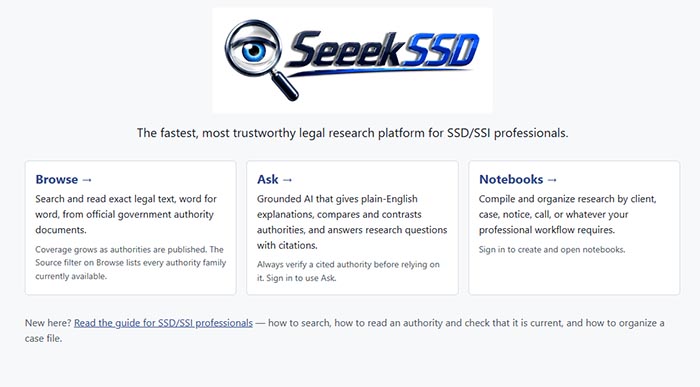
The SeeekSSD home page with Browse, Ask and Notebooks

Home

Everything starts from one clean screen built around three ways to work. Browse takes you straight to exact legal text, Ask gives you grounded, plain-English explanations with citations, and Notebooks turns your findings into an organized case file. New to the platform? A guide written for SSD/SSI professionals is one click away, covering how to search, how to confirm an authority is current, and how to build a case file.
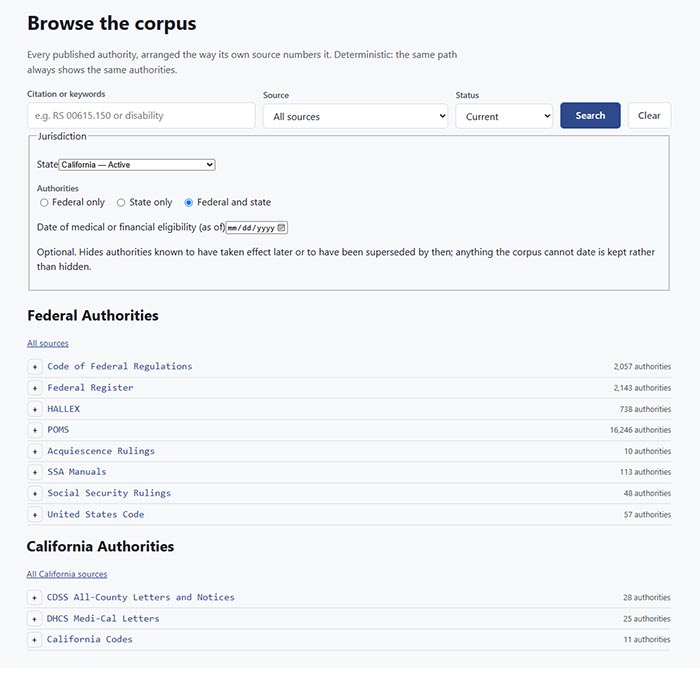
Browse the corpus, with federal and California authorities and their counts

Browse

Find authorities the way they're actually numbered. Search by citation or keyword, filter by source and status, and choose federal authority, state authority, or both for the state your client lives in. Enter a date of medical or financial eligibility and SeeekSSD hides what hadn't taken effect yet or had already been superseded, so you see the rules that applied then. Every source family, from POMS and HALLEX to state agency letters, is laid out with its count of authorities in plain view.

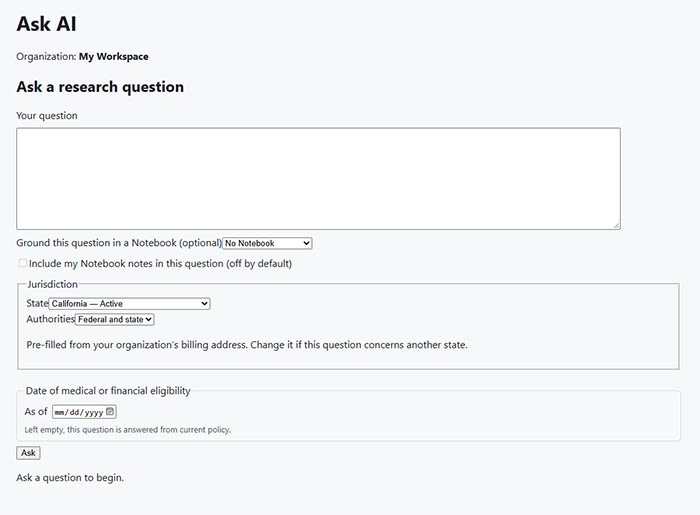
Ask AI research question form with notebook, jurisdiction and eligibility date options

Ask

Put your research question in plain English and get an answer grounded in the corpus, with the authority or authorities it relied on cited so you can read them yourself. Ground a question in one of your notebooks, and include your own notes when you choose to. The jurisdiction is pre-filled from your organization and easy to change, and an optional as-of date answers the question under the policy that applied on your client's eligibility date instead of today's.

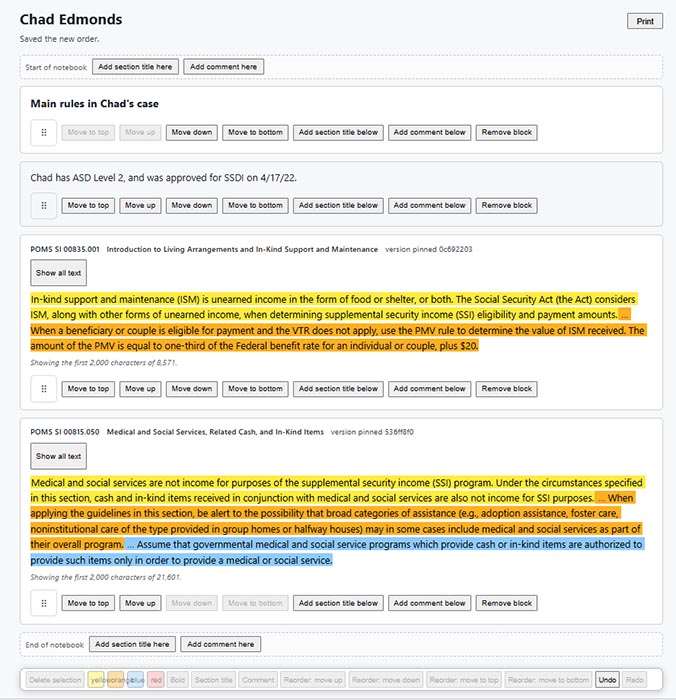
A case notebook with section titles, comments and highlighted POMS excerpts

Notebooks

Build the case file as you research. Add authorities straight from Browse, then arrange them with section titles and your own comments in whatever order tells the story. Highlight key passages using one or more colors, reorder blocks with a click, undo a change, and print the finished notebook when it's time to share. Each saved authority is pinned to the version you added, so your file shows exactly the text you relied on.

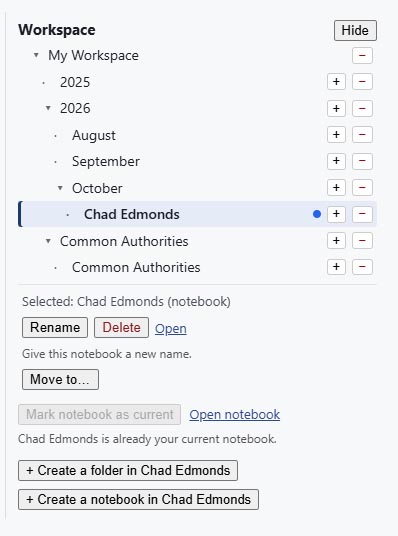
The Workspace panel, with notebooks organized into year and month folders

Workspace

Keep every case exactly where you expect to find it. The Workspace panel lets you organize notebooks in nested folders, by year, by month, by client, or into a collection of the authorities you rely on most. Create folders and notebooks anywhere in the tree, rename or move them as a case evolves, and mark the notebook you're working in as current so new research lands in the right place.

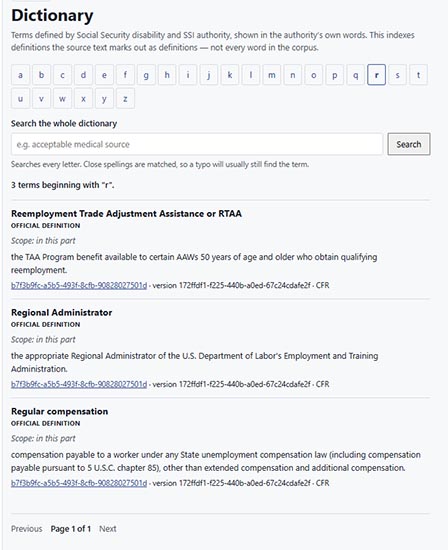
Dictionary of official definitions, browsable by letter and searchable

Dictionary

Get the official meaning, not a paraphrase. The Dictionary collects terms that Social Security disability and SSI authority defines, shown in the authority's own words along with the scope of each definition and a link back to its source. Browse by letter or search the whole dictionary at once; close spellings still match, so a typo won't stand between you and the definition you need.

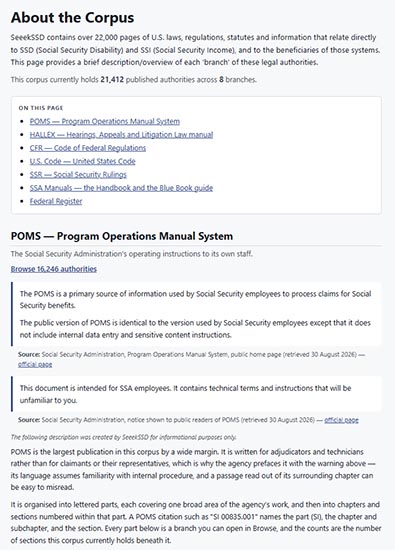
About the Corpus page describing POMS and the other authority branches

About the Corpus

Know exactly what you're searching. About the Corpus walks through every branch of the collection, including POMS, HALLEX, the CFR, the U.S. Code, Social Security Rulings, SSA manuals and the Federal Register. Each section explains what the source is, who it was written for and how it's organized, with official descriptions credited to their source and a direct link into Browse for every branch.

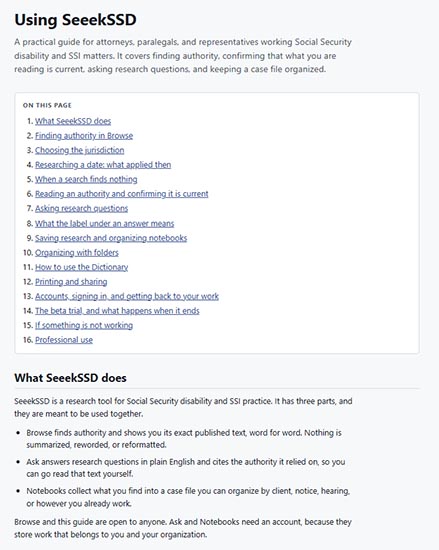
Using SeeekSSD, the in-app guide for SSD/SSI professionals

Help

Get productive on day one. SeeekSSD is a highly-useful tool for attorneys, paralegals and representatives, covering the quick acquisition of authorities, selecting the correct jurisdiction, researching what applied on past dates, confirming a source is current, and organizing research into notebooks and folders. It's written for the way disability and SSI practitioners actually work.

Research with the source in front of you

Browse the authority, ask the question, and build the case file, all in one place.

Open SeeekSSD